Website Accessibility for Small Businesses: What UK Law Requires in 2026

September 14, 2026

Small business owner checking their website on a laptop

Why Website Accessibility Now Matters for Small Businesses

Website accessibility for small businesses has quietly become a commercial issue rather than a technical one. Millions of people in the UK live with something that changes how they use a website, whether that is low vision, a motor condition, dyslexia or simply a bad day with a small phone screen. If your site locks those people out, you are turning away customers who were ready to buy.

There is a legal dimension too, and most business owners have never been told about it. The Equality Act 2010 already asks UK service providers to make reasonable adjustments, and websites count as a service. If you sell into the European Union, the European Accessibility Act has been enforceable since June 2025, and 2026 is the first full year in which national regulators have actively supervised it.

We work on this with clients every week, and the encouraging news is that most small business websites fail on a short list of predictable issues. You rarely need to rebuild anything. In this guide we explain what the rules genuinely ask for, what the common failures look like on a real site, and how to check your own pages without buying specialist software.

What UK Law Actually Asks of Your Website

Start with the Equality Act 2010, because it applies to almost every UK business selling goods or services to the public. It asks for reasonable adjustments so that disabled people are not put at a substantial disadvantage. No list of technical rules is attached to it, which is why so many owners assume it does not apply to them. In practice, a website a screen reader cannot navigate is very hard to defend as reasonable.

If any of your customers sit in the European Union, the European Accessibility Act is the one to read. It covers e-commerce, banking, transport and several other service categories, and it points at a recognised technical standard rather than leaving everything to interpretation. Microenterprises with fewer than ten staff and under two million euro of turnover are exempt from parts of it, so work out where you sit before you panic.

Public sector bodies, and any business that supplies them, face a stricter regime again under the 2018 accessibility regulations. For everyone else the practical answer is the same. Build the site properly the first time, because retrofitting accessibility into a finished theme always costs more than designing it in. When we take on a web design project in Wales, accessibility sits inside the build rather than on a list of optional extras.

Legal paperwork beside a laptop representing UK accessibility rules

WCAG 2.2 Level AA in Plain English

Every accessibility law in the UK and the EU eventually points at the same technical standard, the Web Content Accessibility Guidelines. Version 2.2 is current, and Level AA is the benchmark almost everyone is measured against. The guidelines themselves read like an engineering specification, which is why plenty of business owners give up on page two, so here is the version that actually helps.

The standard groups everything under four ideas. Content must be perceivable, so people can read it or hear it. It must be operable, so someone can use the site with a keyboard as well as a mouse. It must be understandable, so labels, instructions and error messages make sense. And it must be robust, so assistive technology can interpret your pages correctly.

Level AA adds the requirements that matter most in daily use, including colour contrast, visible focus states, text that survives being zoomed, and forms that are properly labelled. If you run an online shop, look hardest at your checkout, because an unlabelled field there quietly costs you revenue every week. Our e-commerce team treats checkout accessibility as a conversion job as much as a compliance one.

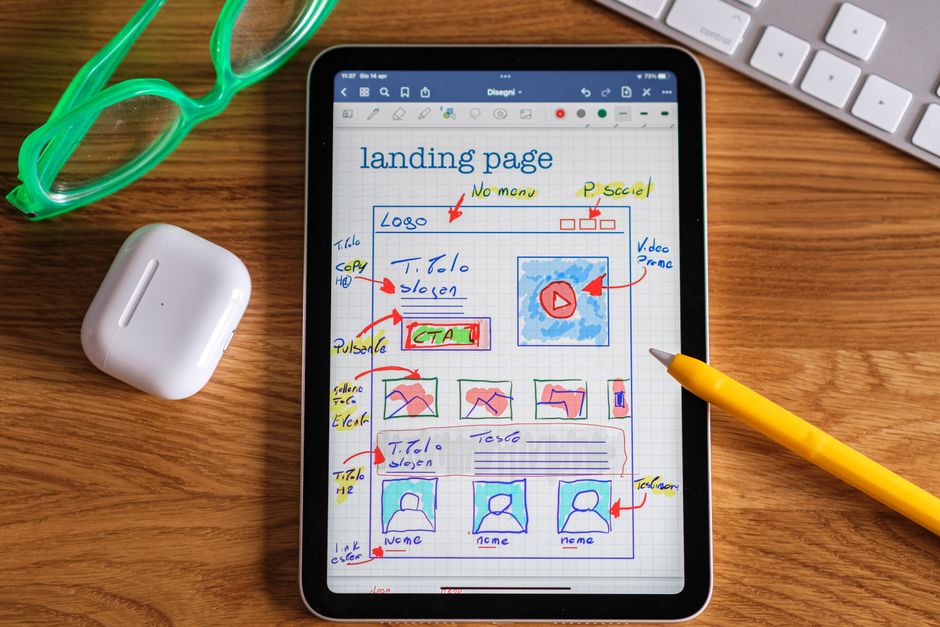
Website wireframe showing structure and clear content hierarchy
Visitor struggling to use a website with poor accessibility

The Accessibility Failures We See Most Often

Colour contrast is the single most common failure on small business websites. Pale grey body text on white looks refined in a design mockup and becomes unreadable in daylight on a phone. The same problem shows up in button labels, form placeholder text and those elegant thin fonts that designers love. It is also one of the cheapest things on this list to fix.

Missing alternative text comes next. Photographs with no description, icon buttons with no label, and sliders carrying important text inside an image all leave screen reader users with nothing to work with. Search engines and AI assistants are in the same position, because they read your markup rather than your visuals, so the cost lands twice.

After that we usually find keyboard problems. Menus that only open on hover, focus outlines stripped out for tidiness, pop-ups that trap you with no way back, and forms where the placeholder disappears the moment you start typing. Add auto-playing video and scanned PDF price lists, and you have the standard list of issues we work through on a first accessibility pass.

How to Check Your Own Site in an Afternoon

Begin with an automated scan. Free tools such as WAVE, axe DevTools and the accessibility section of Lighthouse in Chrome will flag contrast failures, missing alt text and unlabelled fields in seconds. Run them on your homepage, a service page, a blog post and your contact form. Treat the results as a starting list, because automated testing catches only around a third of real problems.

Then do the manual checks, which take about twenty minutes and tell you far more. Put your mouse aside and move through your homepage using the Tab key alone. Can you reach every link, see where you are, open the menu and submit the contact form? Next, zoom the browser to 200 per cent and confirm nothing overlaps or disappears off the side of the screen.

Finish by reading your page titles, headings and link text on their own. Headings should describe the content in order rather than being chosen for how big they look. Link text should make sense out of context, so replace every click here with a phrase that says where the link goes. Write down what you find, because that list becomes your fix plan.

Testing a website on a phone and laptop to check accessibility

The Search and Conversion Upside Most Businesses Miss

Accessible websites are easier for machines to read, and that pays off well beyond compliance. Proper heading structure, descriptive alt text, meaningful link labels and clean semantic markup are exactly what search crawlers and AI assistants rely on when they decide what a page is about. A lot of the work we do on SEO for businesses across Wales overlaps almost entirely with accessibility fixes.

The conversion argument is even easier to make. Stronger contrast, larger tap targets, visible focus states and forms that explain their own errors help everyone, not only people with a diagnosed condition. They especially help the majority of your visitors who arrive on a phone, often outdoors, often in a hurry. Accessibility work tends to show up in your enquiry numbers before it ever shows up in a legal letter.

There is a procurement angle as well. Larger organisations and public bodies increasingly ask suppliers for an accessibility statement during tendering, and being unable to produce one quietly removes you from consideration. Publishing an honest statement that sets out what you meet today and what you are working on next is far better than staying silent and hoping nobody asks.

Website analytics showing improved traffic and conversions
Marketing team planning accessibility improvements for a website

Where to Start, and How We Can Help

Do not try to fix everything at once. Start with the pages that carry your revenue, which for most businesses means the homepage, the main service page, the contact form and the checkout. Clear the contrast failures, add proper alt text, label every form field and restore your focus states. That handful of changes removes most of the real barriers on a typical small business site.

Then make accessibility part of how you work rather than a one off project. Check new pages before they go live, keep alt text in your content process, and review the site properly once a year. Publish an accessibility statement so customers know where you stand, and keep a simple record of the improvements you have made and when you made them.

If you would rather not tackle it alone, this is something we handle for clients all the time, either as an audit of your current site or as part of a rebuild. We will tell you honestly what needs fixing, what it will cost and what can wait. Get in touch with our team in Wales and we will take a proper look at your website.

Business owner making notes about website accessibility questions

Frequently Asked Questions

Is website accessibility a legal requirement for UK businesses?

For most private UK businesses there is no single accessibility statute, but the Equality Act 2010 requires service providers to make reasonable adjustments so disabled people are not put at a substantial disadvantage, and websites are treated as a service. Public sector bodies face stricter, explicit rules under the 2018 accessibility regulations. In practice, meeting WCAG 2.2 Level AA is the recognised way to show you have taken reasonable steps.

It does not apply to the UK directly, but it does apply if you sell products or services to customers inside the European Union. It has been enforceable since June 2025 and covers areas including e-commerce, banking and transport services. Microenterprises with fewer than ten employees and under two million euro of annual turnover are exempt from parts of it, so check your size and your customer base before assuming it affects you.

WCAG stands for the Web Content Accessibility Guidelines, the international standard that accessibility laws point to. Version 2.2 is the current release and Level AA is the middle tier that almost all regulations and contracts use as their benchmark. It covers practical requirements such as colour contrast, keyboard operation, visible focus indicators, resizable text, clear form labels and helpful error messages.

No. Overlay widgets that bolt a toolbar onto your site cannot fix the underlying code, and accessibility experts and disability groups have criticised them heavily. They may address a few surface issues while leaving the real barriers in place, and some have attracted legal complaints of their own. Fixing the site itself is the only approach that genuinely works and it is usually cheaper over time.

It depends entirely on the starting point. On a reasonably well built site, clearing the common failures such as contrast, alt text, form labels and focus states is typically a day or two of work. An older site with a heavily customised theme, inaccessible sliders or a complicated checkout takes longer. An audit first is worth it, because it tells you what is a quick fix and what needs a rebuild.

Share:

Facebook
X
LinkedIn

Related articles: